I turned my
Claude Code agents
into a retro office.
Too many sessions, not enough attention. Uncanny Office shows every Claude Code session as a pixel-art worker, and the one that needs you raises a hand.
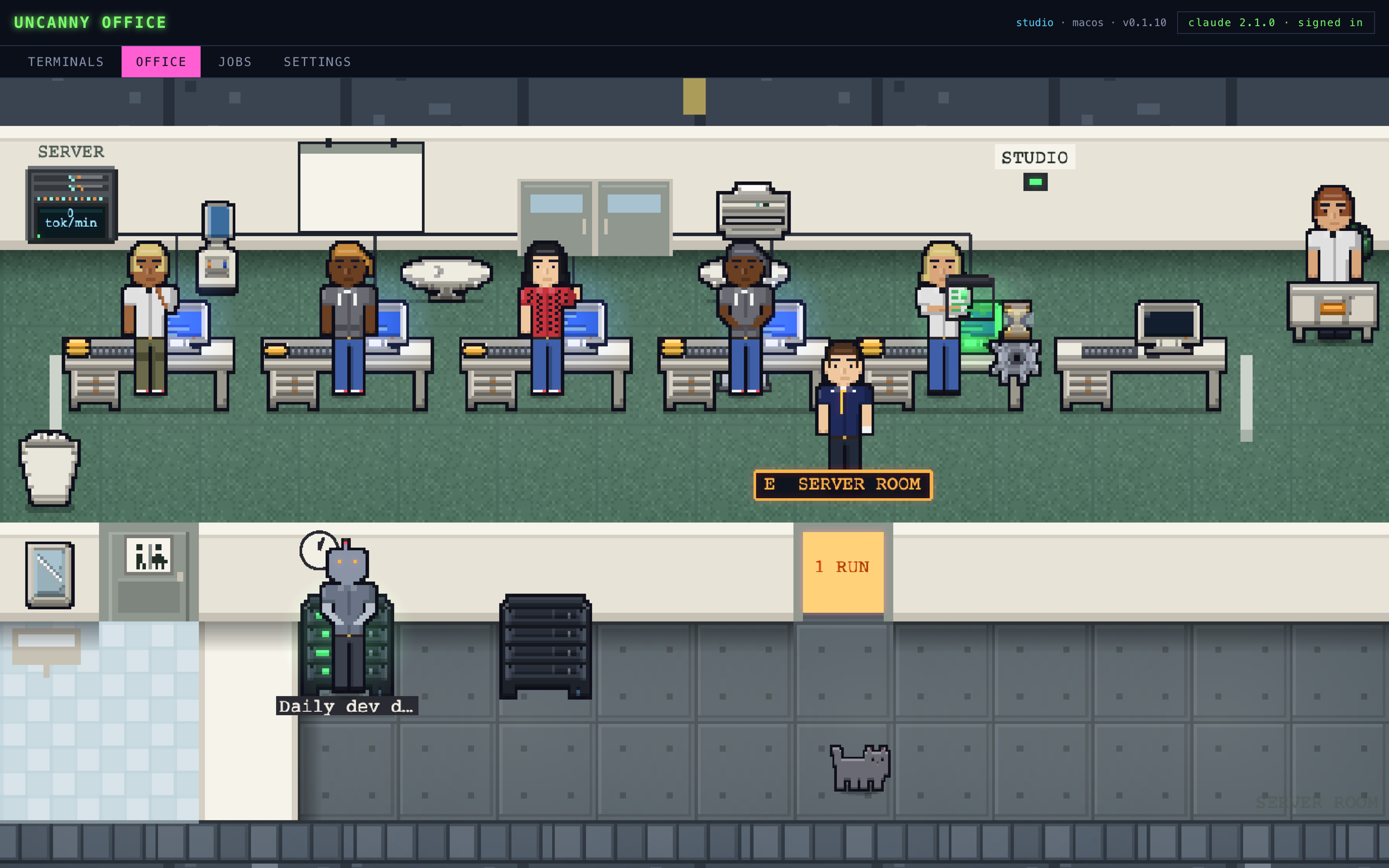
I run a lot of Claude Code sessions at once: one fixing a bug, another writing tests, another working through a new feature. And I kept finding one that had been sitting there for twenty minutes, waiting on a yes or no from me, buried under a pile of terminal tabs that all looked the same.
So I built Uncanny Office, a desktop app that turns every Claude Code session into a little worker in a retro office. Instead of reading tabs, I glance at the room.
What It Does
Each running session sits at a desk, and its body tells you what it is doing:
A raised hand means Claude needs your answer. A permission slip means it wants to run something.
Sweat means the context window is filling up. There is a gauge on every monitor that runs green, amber, then red.
Gold coins stack on the desk as a session spends tokens.
Interns stand beside the desk when Claude spins up sub-agents, wearing a badge in their boss's colour.
A walk to your desk means the work is done. You are the CEO, and finished workers come to report.
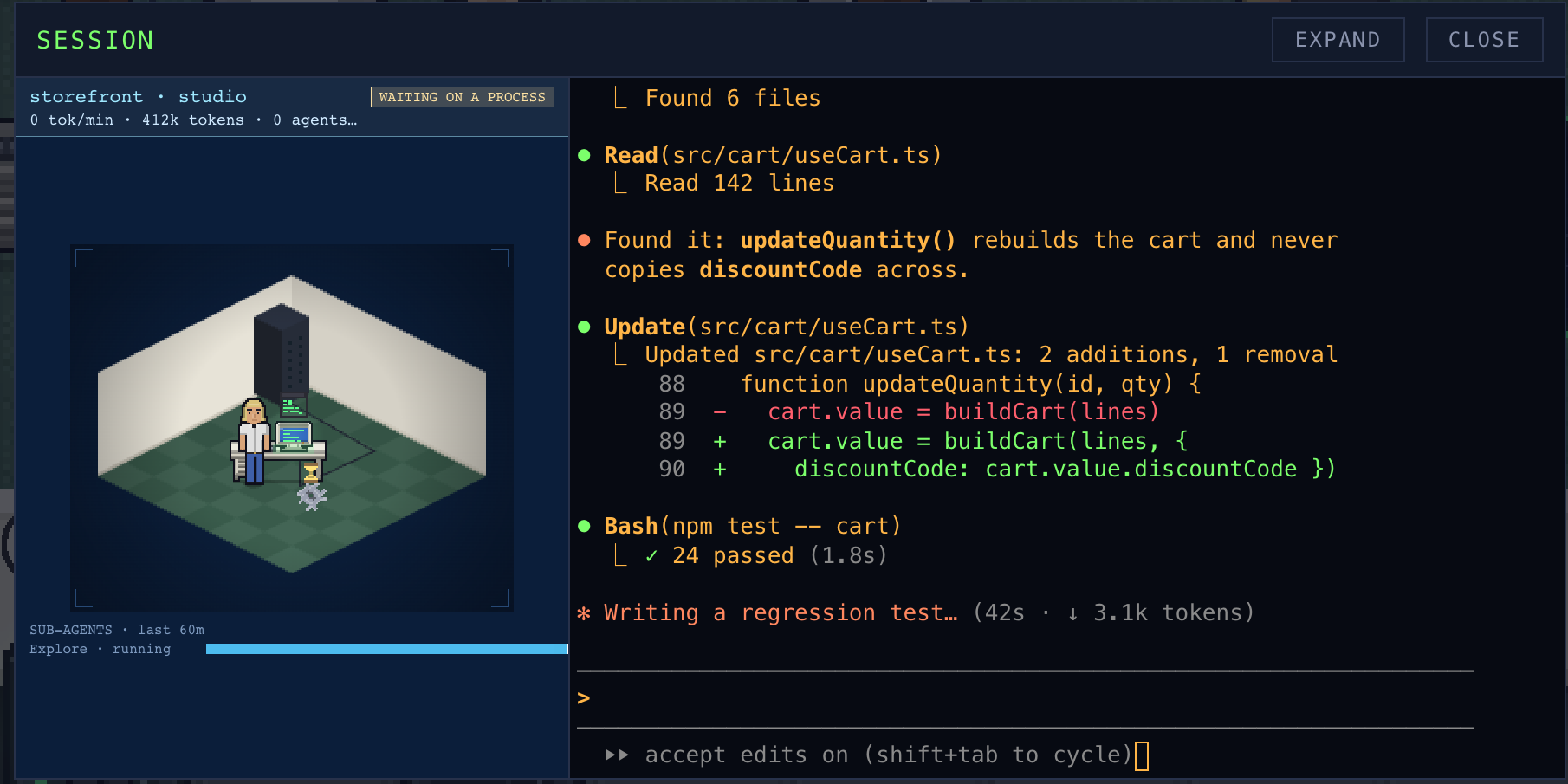
Click a worker and you are in its terminal. It runs the real Claude Code, so all your settings and tools work exactly as they do in your own shell. You can also put repeat work on a schedule, like morning standup notes, and have the result land in a notification or Slack. It runs on Mac, Windows and Linux, with no account and no cloud.
Why Make It a Game?
Because watching AI agents work is more fun when it looks like an office full of tiny coworkers than when it looks like twelve terminals. The silly parts are also the useful parts: a raised hand is easier to spot than a blinking cursor, and a sweating worker is a better warning than a percentage in a status line.
And there are a few things that are just for fun. Idle workers gossip at the water cooler and call pointless meetings. There is an office cat that naps by the warm server rack. When the whole office goes quiet, there's confetti.
Here is the 30-second tour: watch the Uncanny Office short on YouTube.
Try It
You can play with a live demo in your browser with made-up sessions, no install needed. The app itself is free for 7 days, then a one-time early-access purchase that covers every beta build and the 1.0 release. No subscription.
If your team or agency is starting to run AI agents day to day and wants help making that workflow visible, get in touch. This is exactly the kind of problem we like solving.